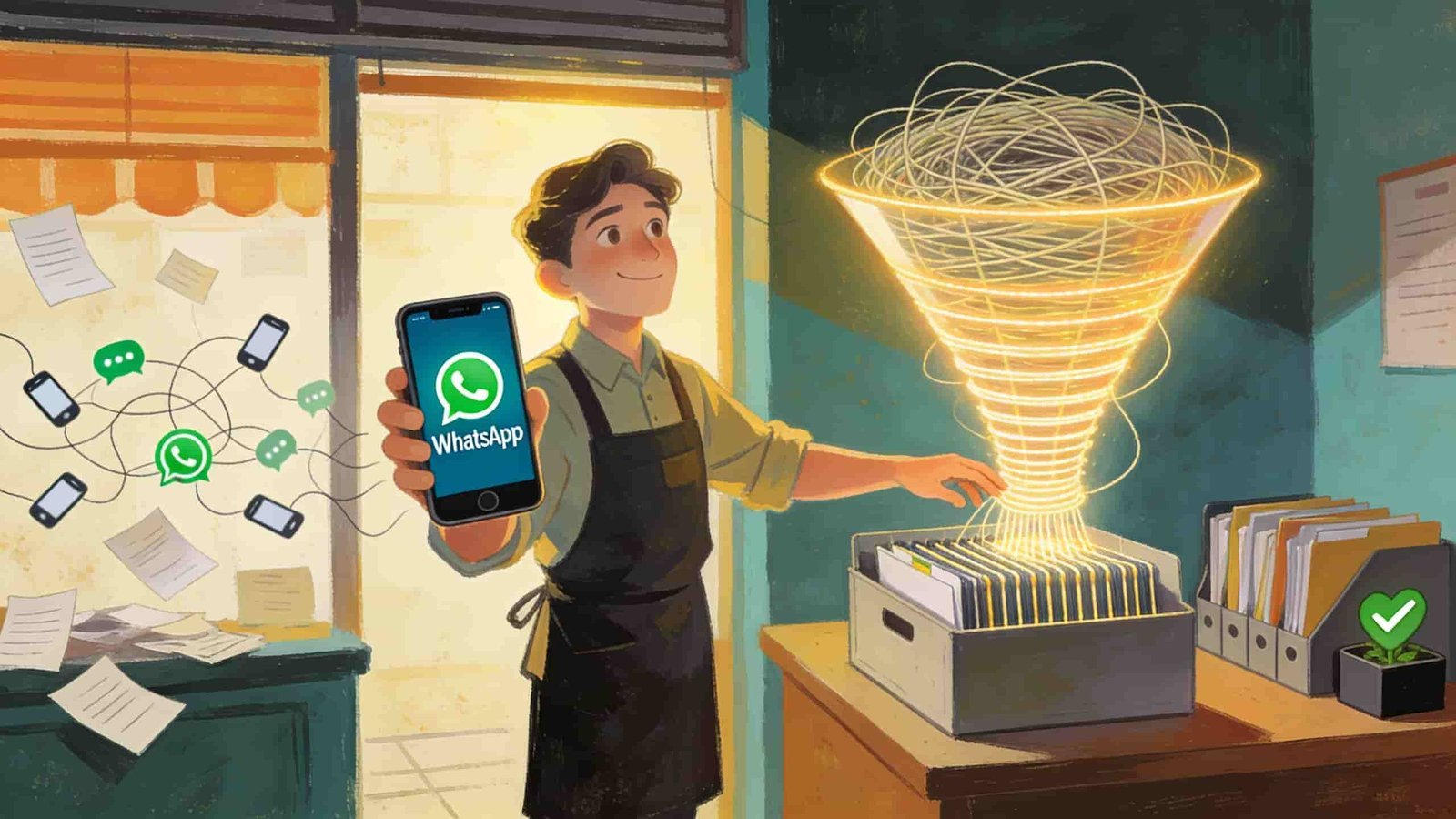
A client messaged me at 11 PM once panicking because his sales team lost track of 40 leads. Not because the leads went cold. Because they were sitting inside WhatsApp chats scattered across three different phones and nobody had a clue who replied to what.
That’s the moment I realized WhatsApp without a CRM behind it isn’t really a sales channel. It’s just a chat app pretending to be one.
If you run a business and you’re using WhatsApp to talk to customers and you’re not connecting it to some kind of CRM you’re basically running your sales pipeline on vibes. I’ve set this up for a few small businesses now and I’ve made almost every mistake you can make along the way. So let me walk you through what actually works.
Why WhatsApp Alone Falls Apart Fast
WhatsApp is great for the first message. Someone sees your ad taps “Send Message” and boom you’re chatting. Response rates on WhatsApp are honestly better than email or even SMS in a lot of markets especially South Asia Middle East and parts of Africa.
The problem shows up after that first message. If you have more than one person handling chats or more than a handful of leads a day WhatsApp’s regular interface just can’t keep up. No proper tagging. No pipeline stages. No reminder system. No way to see “this person asked about pricing three days ago and nobody followed up.”
That’s exactly what happened with my client. His team was using the WhatsApp Business app on personal phones. Great for a solo shop owner. Terrible once you have five agents and a hundred conversations a day.
What “CRM Integration” Actually Means Here
Before going further let’s clear up the confusing part. When people say “integrate WhatsApp with a CRM” they usually mean one of two things.
- Connecting WhatsApp Business API to a CRM like HubSpot Zoho Salesforce or Pipedrive so chats show up as contact records and activities.
- Using a middle-layer tool that pulls WhatsApp conversations into a dashboard where your team can assign tag and track leads even if it’s not a “real” CRM in the traditional sense.
Both are valid. Which one you need depends on how big your team is and how complex your sales process gets.
Step One: You Need the Actual WhatsApp Business API Not the App
This trips people up constantly. The free WhatsApp Business app (the green icon most shop owners use) cannot be integrated with a CRM directly. It’s a standalone app tied to one phone.
To connect WhatsApp to a CRM you need access to the WhatsApp Business Platform which is the official API. Meta manages this through Business Solution Providers commonly called BSPs. Names you’ll run into a lot: Twilio 360dialog Gupshup MessageBird Interakt and WATI.
Here’s the honest part nobody tells beginners. You can’t just sign up and get API access instantly. You go through one of these providers verify your business (a Meta Business Manager account a registered business name sometimes a website) and then get your WhatsApp number approved for API use.
When I did this the first time verification took about five days. For another client it took almost two weeks because the business name on their documents didn’t exactly match what was on Facebook. Small mismatch big delay. Lesson learned. Make sure your business name is identical everywhere before you even start.
Step Two: Pick Your CRM Based on How Your Team Actually Works
I’ve tested integrations with a few different setups. Quick honest breakdown below.
HubSpot clean interface good free tier but WhatsApp integration usually needs a third-party connector app from their marketplace. Works well for small to mid teams.
Zoho CRM has decent native WhatsApp integration through Zoho’s own channels. If you’re already in the Zoho ecosystem (Zoho Books Zoho Desk) this is the smoothest path.
Salesforce powerful but honestly overkill and expensive for smaller teams. I only recommend it once you’re past 20-30 agents.
Pipedrive simple pipeline view works nicely with tools like WATI or Interakt for WhatsApp syncing. My personal favorite for small sales teams that just need visibility.
If your team is under 10 people don’t overthink this. Go with something like WATI or Interakt connected to a simple CRM like Pipedrive or even a Google Sheet based system. Yes I said Google Sheets. For very small operations a well organized sheet synced through Zapier or Make (formerly Integromat) can outperform an expensive CRM nobody actually uses properly.
Step Three: The Actual Integration Process
Here’s roughly how it goes once you have API access sorted out.
1. Connect your WhatsApp Business API number to your chosen provider (Twilio 360dialog etc)
You’ll get a sandbox or live environment where messages start flowing.
2. Use a connector or webhook to link that provider to your CRM
Some CRMs have native apps for this so check their marketplace first. If not you’ll use Zapier Make or a direct webhook setup where every incoming WhatsApp message triggers a CRM action like creating a new contact or logging an activity.
3. Map your fields properly
This is the step people rush and regret. Decide what data actually needs to flow into the CRM. Phone number name first message tags source campaign. Don’t just dump the entire chat log into a notes field and call it done. I did that once early on and the CRM became unreadable within a week.
4. Set up automation rules
New WhatsApp message from unknown number equals new lead created automatically. Existing customer messages equals ticket or task assigned to their existing record. This is where the real time saving happens.
5. Test with real conversations before rolling out to your whole team
Send test messages check if they land correctly check if duplicate contacts get created. This happens more than you’d think when phone number formatting is inconsistent.
A Real Mistake That Cost Us a Week
On one project we connected WhatsApp to the CRM but didn’t standardize phone number formatting. Some numbers came in with the country code some without some with spaces or dashes. The CRM treated these as different contacts. We ended up with duplicate leads everywhere and the sales team was following up with the same person from two different chat threads which looked unprofessional to the customer.
Fix was simple in hindsight. Force international format like +92 for Pakistan or +91 for India at the automation level before anything hits the CRM. Takes five minutes to set up and saves you from a genuinely embarrassing mess.
Common Mistakes I See Businesses Make
Skipping the verification prep. Rushing into API applications without matching business documents leads to delays that stall your whole launch timeline.
Choosing a CRM based on brand name instead of team size. Salesforce sounds impressive but if your team of four can’t figure out how to use half its features you’ve wasted money and time.
Not setting up templates for WhatsApp messages. The API requires pre-approved message templates for anything sent outside the 24 hour customer service window. Businesses that don’t plan this out end up unable to follow up with leads after a day passes.
Ignoring the 24 hour rule entirely. WhatsApp only lets you send free-form replies within the 24 hour customer service window of the customer’s last message. After that you need an approved template. This trips up almost every business in their first month.
Overloading one WhatsApp number with unrelated departments. Sales support and billing all coming through one number gets messy fast. Where possible separate numbers or at least separate tagging systems help a lot.
Real Use Case That Actually Worked Well
A small furniture business I worked with was getting maybe 60-70 WhatsApp inquiries a day from Facebook and Instagram ads. Before the integration two people were manually screenshotting conversations into a spreadsheet. Painful and error prone.
After connecting WATI to their Pipedrive account every new inquiry automatically created a deal card with the customer’s name message and source tag. Sales reps could see at a glance who hadn’t been contacted in 24 hours. Follow up speed improved noticeably and they stopped losing leads in the chat pile. Nothing fancy just visibility and automation doing what humans kept forgetting to do.
Final Thoughts
If you’re running a business on WhatsApp and things still feel manageable with just the app that’s fine stick with what works for now. But the moment you add a second person to handle chats or your daily message volume starts climbing past what one person can track in their head it’s worth investing the time to set up a proper CRM connection.
It’s not instant. The API approval takes patience the field mapping takes some trial and error and you will probably mess up phone number formatting at least once. But once it’s running you stop losing leads in the noise and that alone usually pays for the setup within the first month.